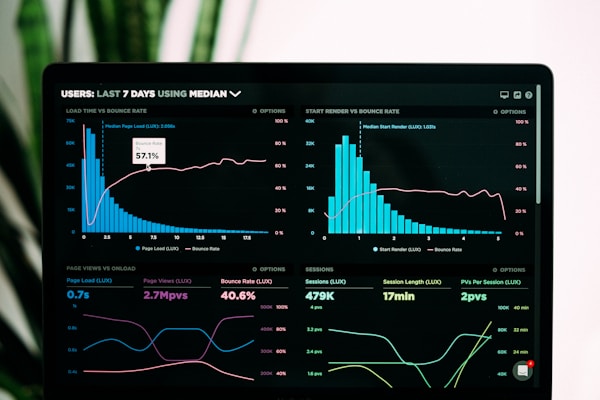
Performance Max (PMax) campaigns have become Google's flagship advertising product, using AI to serve ads across Search, Display, YouTube, Gmail, Maps, and Discovery—all from a single campaign. For businesses across Birmingham, Coventry, Leicester, and the Midlands, mastering PMax can significantly boost conversions and ROAS.
At Prebo Digital, based in Rugby, Warwickshire, we've managed Performance Max campaigns across diverse industries. This comprehensive guide shares our proven strategies for 2025.
What is Performance Max?
Performance Max is Google's AI-powered campaign type that automatically optimises your ads across all Google channels. Unlike traditional campaigns where you choose specific placements, PMax uses machine learning to find your ideal customers wherever they are.
Key Features
- Cross-channel reach: Search, Display, YouTube, Gmail, Maps, and Discovery
- AI optimisation: Google's algorithms optimise bids, placements, and audiences
- Asset-based: You provide creative assets; Google builds the ads
- Goal-focused: Campaigns optimise toward your conversion goals
- Audience signals: Guide the AI with your customer data
2025 Update: Google has enhanced PMax with improved brand controls, better reporting transparency, and new asset group insights. These updates give advertisers more control than ever.
When Should You Use Performance Max?
Ideal Use Cases
- E-commerce businesses with product feeds
- Lead generation campaigns with clear conversion goals
- Businesses wanting maximum reach across channels
- Advertisers with limited time for campaign management
- Companies ready to leverage Google's AI capabilities
When to Consider Alternatives
- Brand awareness campaigns (limited control over placements)
- Very niche B2B targeting requirements
- When you need granular keyword-level control
- Accounts with limited conversion data (less than 30/month)
Step-by-Step Campaign Setup
Step 1: Define Your Goals
Before creating your campaign, clarify:
- Primary conversion action (purchases, leads, calls)
- Target CPA or ROAS
- Geographic targeting (e.g., Birmingham, Coventry, Leicester, Midlands)
- Monthly budget allocation
Step 2: Set Up Conversion Tracking
Performance Max relies heavily on conversion data. Ensure you're tracking:
- Primary conversions (purchases, form submissions, phone calls)
- Secondary conversions (add to cart, page views, engagement)
- Offline conversions if applicable
- Enhanced conversions for better attribution
Step 3: Create Asset Groups
Asset groups are collections of creative assets. For each group, provide:
Text Assets
- Headlines (up to 15): 30 characters max each
- Long headlines (up to 5): 90 characters max each
- Descriptions (up to 5): 90 characters max each
- Business name: Your company name
Image Assets
- Landscape images: 1200×628 (minimum 600×314)
- Square images: 1200×1200 (minimum 300×300)
- Portrait images: 960×1200 (minimum 480×600)
- Logo: Square (1200×1200) and landscape (1200×300)
Video Assets
- YouTube videos (horizontal, vertical, and square)
- Minimum 10 seconds, recommended 15-30 seconds
- If you don't have videos, Google will auto-generate them from images
Pro Tip: Create location-specific assets for Midlands businesses. Headlines like "Trusted in Birmingham" or "Serving Coventry & Leicester" can boost local relevance.
Step 4: Configure Audience Signals
Audience signals help Google's AI find your ideal customers faster:
- Customer lists: Upload existing customer emails
- Website visitors: Retargeting audiences
- Custom segments: People who searched for specific terms
- Interests & demographics: In-market and affinity audiences
Step 5: Set Bidding Strategy
Choose based on your goals:
- Maximise conversions: For volume focus
- Maximise conversion value: For revenue focus
- Target CPA: Set a specific cost per acquisition
- Target ROAS: Set a specific return on ad spend
Optimisation Strategies for 2025
1. Asset Group Structure
Organise asset groups strategically:
- Separate groups by product category or service type
- Create location-specific groups for key areas (Birmingham, Coventry, Leicester)
- Use different messaging for different audience segments
2. Feed Optimisation (E-commerce)
Your product feed quality directly impacts performance:
- Use high-quality images with white backgrounds
- Include detailed product titles with key attributes
- Add custom labels for promotional products
- Ensure pricing and availability are accurate
- Use supplemental feeds for additional data
3. Search Theme Control
In 2025, you can add search themes to guide PMax:
- Add brand terms as search themes
- Include high-intent keywords
- Add location-specific themes ("digital marketing Birmingham")
- Review search term insights regularly
4. Exclude Brand Terms Strategically
Consider running separate brand campaigns:
- Add brand terms to account-level negative keywords
- Run a dedicated Search campaign for brand terms
- This gives you more control and often lower CPCs
5. Regular Asset Performance Review
Check asset performance ratings monthly:
- Replace "Low" performing assets
- Test new variations of "Best" performers
- Ensure you have "Good" or "Best" assets in each category
- Remove duplicate or similar assets
Common Mistakes to Avoid
- Insufficient conversion data: Wait until you have 30+ conversions/month before using PMax
- Poor asset quality: Low-quality images hurt performance significantly
- No audience signals: Without signals, the AI takes longer to optimise
- Budget too low: PMax needs sufficient budget to learn (£50+/day recommended)
- Changing settings too frequently: Allow 2-4 weeks for learning
- Ignoring search term insights: Add negatives for irrelevant queries
Measuring Success
Key Metrics to Track
- Conversions: Total conversion volume
- Conversion rate: Percentage of clicks converting
- CPA: Cost per acquisition
- ROAS: Return on ad spend (for e-commerce)
- Impression share: Market coverage
- Asset performance: Individual asset ratings
Understanding the Reports
Use these PMax reports for insights:
- Insights tab: Audience and search insights
- Asset group report: Performance by asset group
- Placement report: Where your ads appeared
- Search terms report: What queries triggered your ads
Key Takeaways
- PMax uses AI to serve ads across all Google channels
- Strong conversion tracking is essential for success
- Provide diverse, high-quality creative assets
- Use audience signals to guide the algorithm
- Create location-specific asset groups for local targeting
- Review and optimise assets regularly
- Allow sufficient budget and time for learning
Need Help with Performance Max?
At Prebo Digital, we're Google Premier Partners based in Rugby, Warwickshire. We've helped businesses across Birmingham, Coventry, Leicester, London, and the Midlands achieve exceptional results with Performance Max campaigns.
Our clients typically see 30-50% improvements in ROAS within the first 3 months of PMax optimisation.